
| Countries | India (IN) |
| Currencies | Indian Rupee (INR) |
| Min amount | 29.50 INR |
| Max amount | Bank dependent |
| Integration type | API v1 |
| One-time | Yes | unscheduled |
| 1-click | Yes | unscheduled |
| Recurring | Yes | unscheduled |
| Unscheduled | Yes | unscheduled |
| Refund | Yes |
| Partial refunds | Yes |
| Multiple partial refunds | No |
| Chargeback | No |
UPI Collect is a pull transaction where the customer manually enters a VPA. The merchant sends a collect request, and the customer approves it with a push notification in their UPI app. You need to set payment_method_flow to direct or omit the field. UPI Intent, on the contrary, simplifies the flow by removing VPA entry, improving mobile conversion, and supporting QR checkout on desktop.
NPCI (National Payments Corporation of India) plans to deprecate the UPI Collect flow. Migrate existing integrations to UPI Intent.Principle of operation
- Selection at checkout
Customer selects UPI as the payment method at checkout. - Payment initiation
Customer enters a VPA and other payment data. Set payment_method_flow to direct or omit the field. - Authentication and authorization
After the VPA is submitted, the payment provider determines which app should receive the notification and link the payment. - Payment confirmation
Customer approves the transaction in the UPI app within 15 minutes. - Merchant notification
Merchant receives a notification Webhook confirming the payment status.


Recurring payments
Recurring payments up to ₹15,000 per individual transaction are processed without customer intervention. For amounts above ₹15,000 per transaction, an additional authentication factor is required for each debit. These debits are not supported.
Customer receives a notification 24 hours before the scheduled charge.
- If the customer declines the follow-up charge, a decline response is returned.
- If the customer does not decline the charge, a success response is issued.
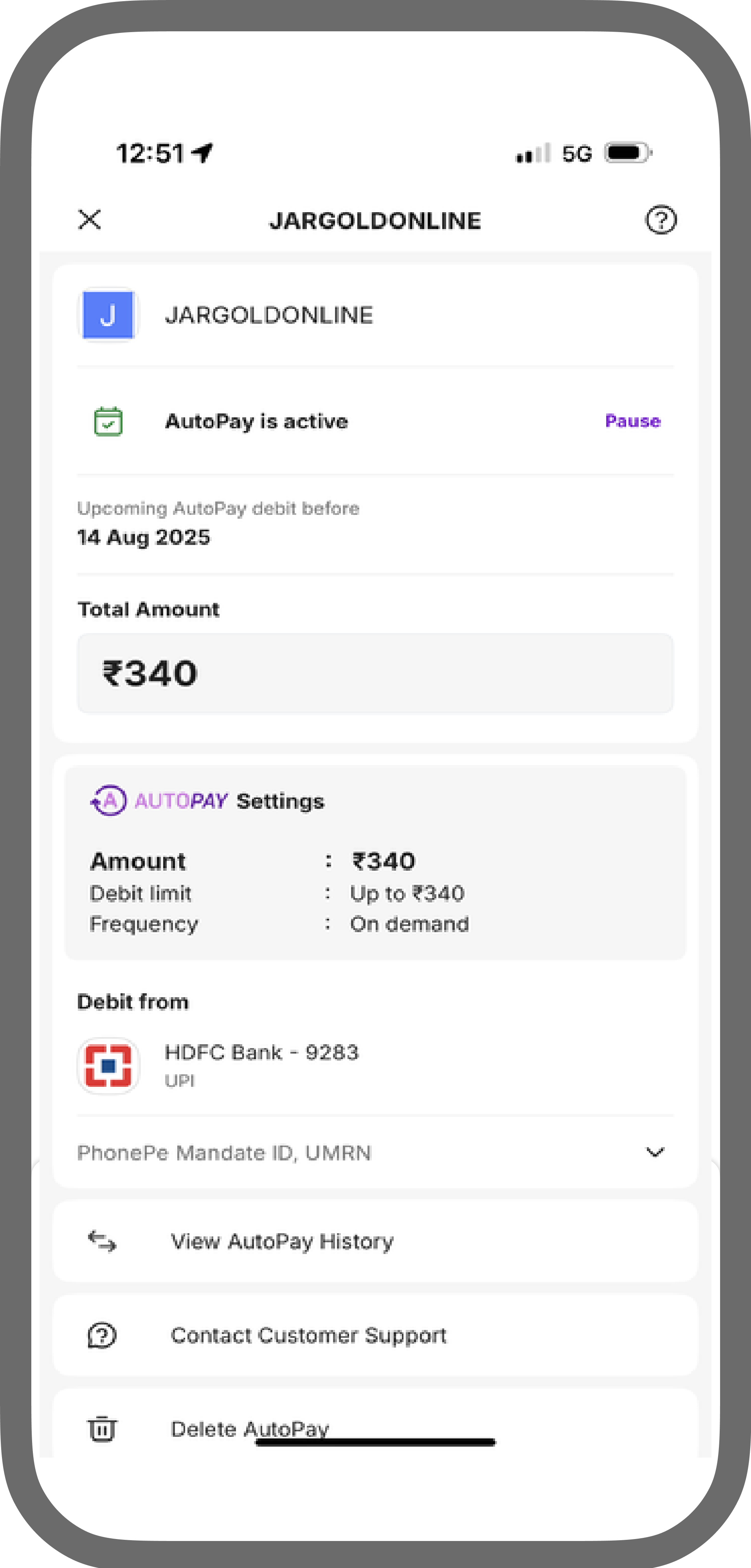
When creating the initial payment, specify the amount to be debited for future subscription charges. This amount appears in the customer’s UPI app when the mandate is created. The mandate authorizes follow-up payments.
For example, if you have sold the customer a subscription plan for up to ₹3,000, the customer sees this amount at the time of mandate creation, along with a notice that payments may be up to ₹3,000.Any payment below the amount specified in the initial request occurs without additional confirmation from the customer. However, the customer still receives notifications the day before the follow-up payment and can cancel the subscription at any time.
Mandates
Mandate display at checkout
You must display mandate terms clearly at checkout, including the maximum charge amount and billing frequency, so customers can review them before mandate creation. For future_usage.max_amount and future_usage.billing_period configuration, use UPI Intent.
The customer can revoke a mandate at any time in their UPI app by selecting Delete AutoPay. Solidgate does not cancel the associated subscription immediately. The next charge attempt fails with 5.02 , then the subscription is cancelled with cancel code 8.11 Token revoked by customer. Merchants receive the failed payment notification Webhook and the subscription cancel webhook.
VPA format
The VPA must follow the pattern: up to 100 characters, followed by @ , then up to 30 characters, such as name@bankname . An invalid VPA format returns error code 2.01 .
Handle UPI errors
Specific errors may occur when a UPI payment attempt fails.
-
0.02
Order expired
Customer did not complete authorization within the 15 minute session window. -
2.01
Invalid data
Incorrect VPA format or incorrectly formatted phone number. Validate the india_vpa format, such as username@bankname . Validate customer_phone . Only digits 0 through 9 and the + symbol are permitted.